Devices
Install StonerSpace on your home screen to launch it like a regular app, open the catalog faster, and avoid searching for the website every time.
StonerSpace is a Progressive Web App (PWA). You can install it on any device. How to install - iOS: Open in Safari, tap Share, then Add to Home Screen. - Android: Open in Chrome, tap menu, then Install App. - Desktop: Supported in Chrome, Edge and Safari.
iPhone and iPad
Safari works best. If the site opens inside Telegram or another in-app browser, first tap “Open in Safari”.
- 1Open `stonerspace.cc` in Safari.
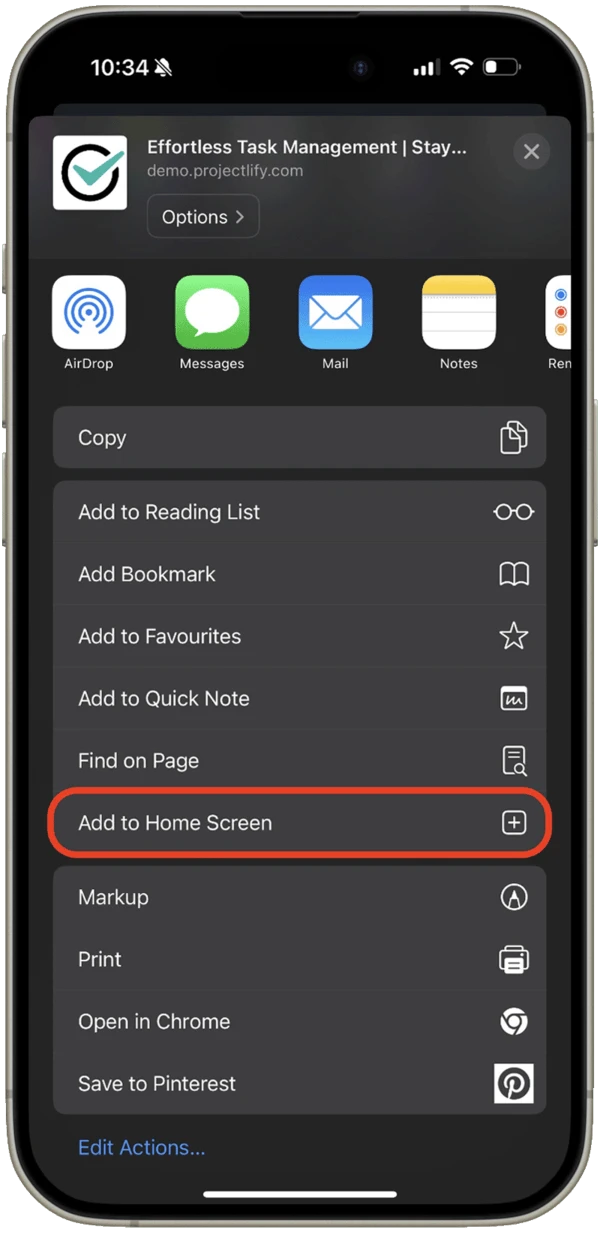
- 2Tap the Share button at the bottom of the screen.
- 3Choose “Add to Home Screen”.
- 4Confirm the action. The StonerSpace icon will appear on your home screen.
Android
Use Chrome or another Chromium-based browser. If the site is opened inside a messenger browser, open it in Chrome first.
- 1Open `stonerspace.cc` in Chrome.
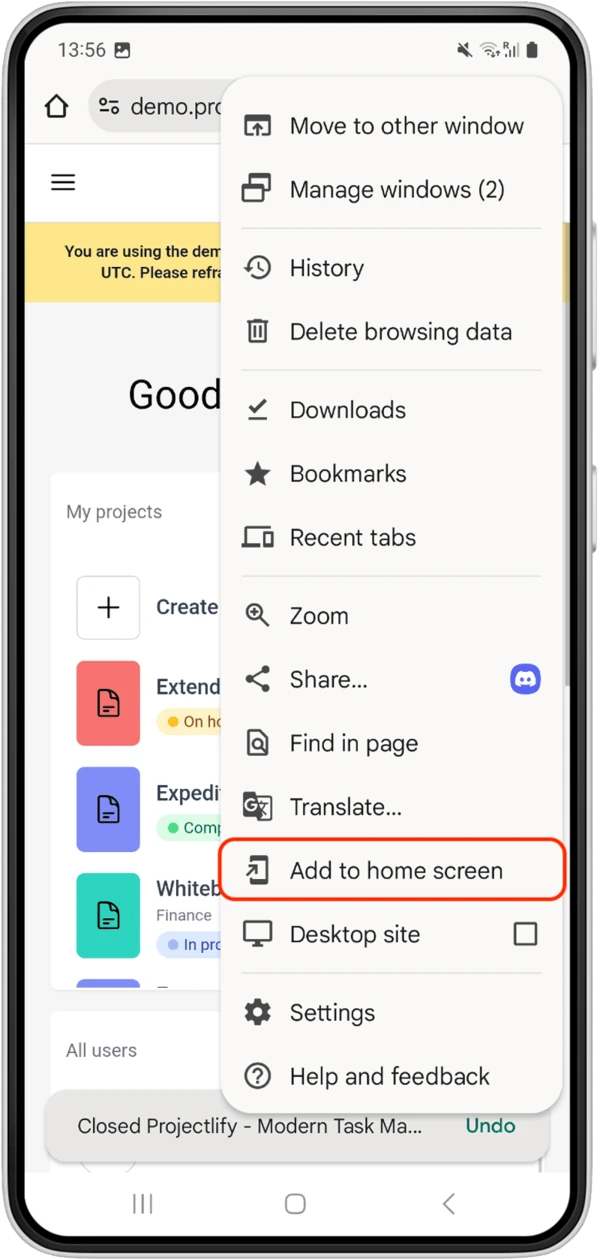
- 2Tap the browser menu `⋮` in the top-right corner.
- 3Choose “Install app” or “Add to Home screen”.
- 4Confirm the install. The icon will appear on the home screen and in the app list.
If the app does not open or gets stuck
In most cases this is fixed in 1-2 minutes. Follow the steps from top to bottom and stop as soon as the app works again.
- Force close the app and open it again.
- Check your connection: switch between Wi-Fi and mobile data, and disable VPN or traffic blockers if needed.
- Open `stonerspace.cc` directly in Safari or Chrome. If the website opens in the browser, remove the home-screen icon and install the app again.
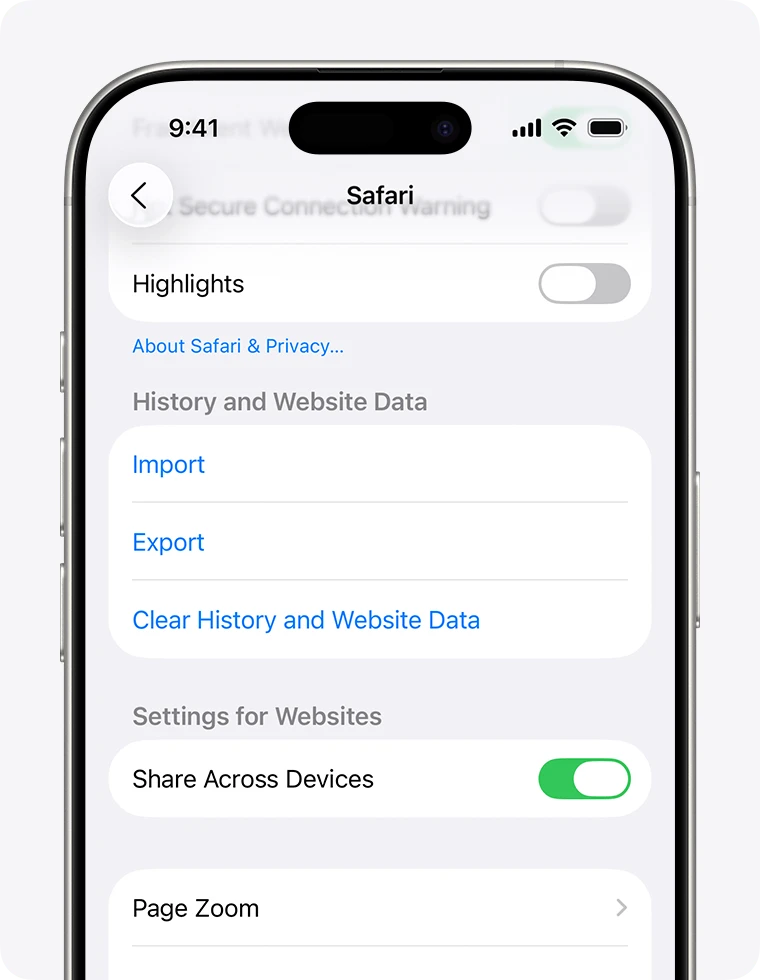
- If you see an outdated or blank version, clear website data for `stonerspace.cc` in the browser and add the app to the home screen again.
- If push notifications or background loading behave oddly, restart the phone and open the app one more time.
- iPhone: Settings → Safari → Advanced → Website Data → find `stonerspace.cc` and remove it.
- Android: Chrome → Settings → Site settings → All sites → `stonerspace.cc` → Clear & reset.
If it still does not work
Message us on Telegram or WhatsApp and include your phone model, iOS/Android version, and what you see on screen. That will help us diagnose it faster.